
Upgrade selection is explained from 9:58. The observed menu at 10:17 supports the labels shown; exact build and platform-wide bindings are unknown.
Star Wars HQ · Source / open if playback failsStar Wars Galactic Racer permanent upgrades bought with Tuning Points carry into later attempts, according to the supplied guides and video. Tour rewards and Credits purchases belong to the current run. Review the vehicle upgrade screen before starting again so you do not confuse lasting investment with a temporary Tour build.
On this page
Star Wars Galactic Racer permanent upgrades: what lasts
| Investment or reward | Supported persistence boundary |
|---|---|
| Vehicle upgrades bought with Tuning Points | Described as lasting into later attempts |
| Vehicle types unlocked with Tuning Points | Described by IGN as unlocks |
| Random parts and upgrades offered during a Tour | IGN describes these as lasting for that Tour |
| Shop upgrades bought with Credits | The supplied tuning video describes these as resetting after the Tour |
Find the lasting investment before committing to a Tour
Star Wars HQ’s footage places the upgrade check before starting the next attempt. The author tells players to look for an upgrade notification on the vehicle selection screen and open the indicated menu. Use the control shown by your own interface, because the author’s controller example is not a verified binding for every platform. The success signal you are looking for is the Upgrade Vehicle panel, rather than the shop for the current Tour.
The reviewed Skim Speeder screen contains stat rows, addition controls and a reset option. The highlighted Cornering explanation refers to how quickly and tightly the vehicle can take corners. That screenshot confirms the shown menu and label; it does not demonstrate every available upgrade or the maximum level. Read the selected row before spending, and treat the displayed numbers as one author’s sample vehicle.
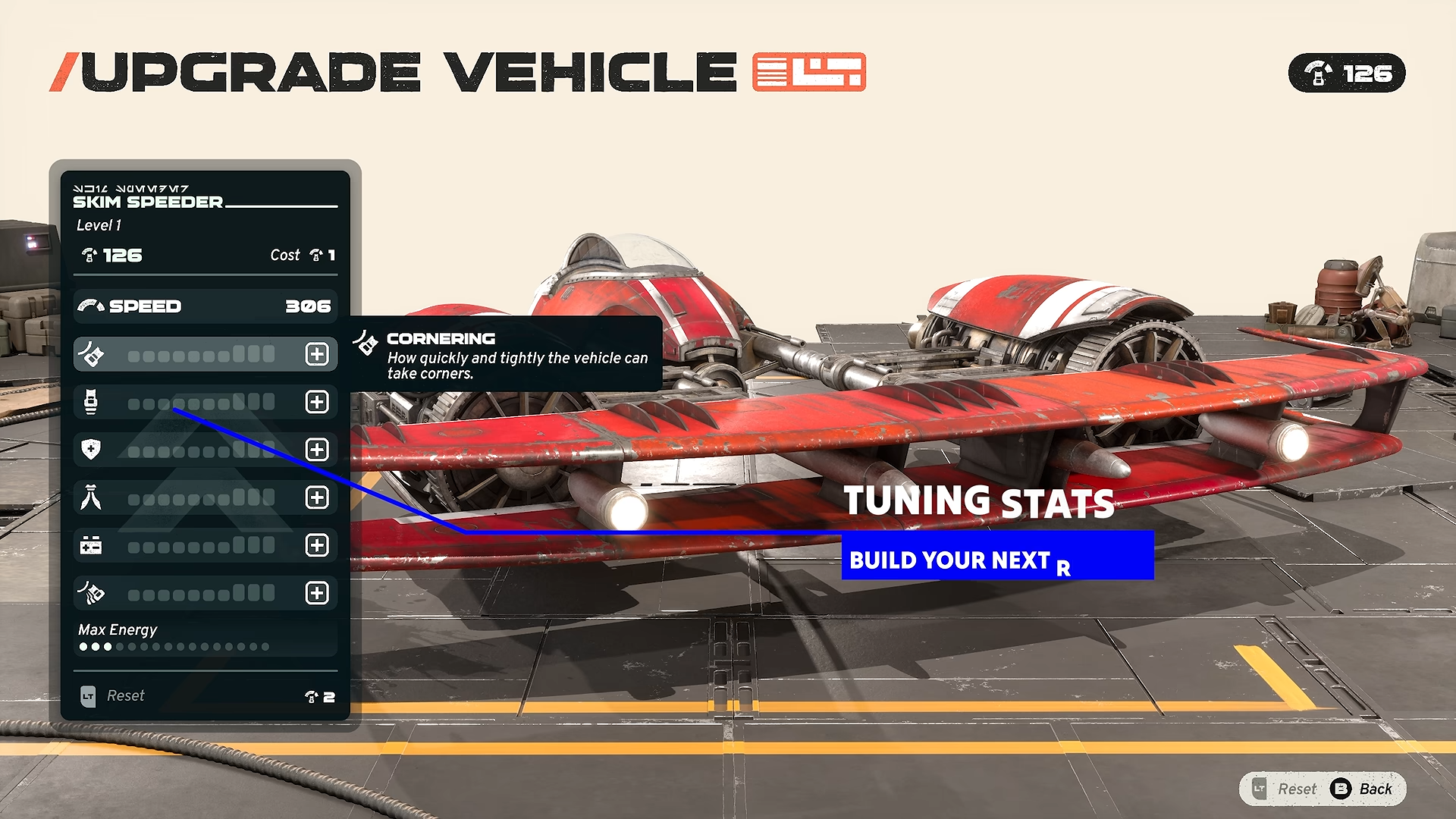
The permanent upgrade interface shown in the supplied video at 10:17. This frame does not demonstrate a completed persistence test.
Star Wars HQ · Source / open if playback failsWhy a restarted Tour can still feel different
Permanent investment does not mean a complete Tour build is preserved intact. IGN describes new random assortments of parts and upgrades after events, with choices shaped by the route and the next race. Those rewards can change the build you assemble during each attempt. Keeping a permanent improvement and losing a particular run’s equipment are therefore compatible outcomes.
This distinction is useful when judging a restart. If a particular part or ability from the last Tour is missing, first identify whether it was an event reward or a Credits purchase rather than a Tuning Points investment. That is a checking method, not a claim that every missing item has the same cause. The supplied sources do not establish a complete reset table for all rewards, cosmetics and abilities.
Choose investment around the problem you observed
A lasting upgrade is most useful when you understand the decision it is meant to improve. The captured Cornering label gives one concrete example: it concerns taking corners quickly and tightly. If turning is the recurring weak point in your attempts, review that row and compare it with the menu’s other options. Do not turn the screenshot into a universal recommendation to maximize that stat first.
The beginner sources also discuss speed, heat, survivability and build coherence. These are reasons to consider your current vehicle and the conditions you find difficult, rather than proof of a mathematically best upgrade order. Use an investment to test a specific weakness and observe whether the next attempt becomes more controllable. Exact caps, upgrade scaling and the best allocation for all players remain Not confirmed.
Resetting upgrades is different from losing a Tour
The supplied tuning video describes an intentional reset that returns previous investment for reallocation. Its captured menu shows a Reset option with a cost of two Tuning Points, and the Skim Speeder example independently displays the same cost. This supports reporting the cost in those reviewed examples. It does not establish that the option is free, that every future build uses the same cost, or that a reset preserves the current allocation.
Before confirming a reset, read the live menu and decide what you intend to change. The refund behavior is reported by the video narrator; the captured frame is the prompt, not a completed transaction. If you only want to understand what carries across attempts, you do not need to perform a reset as a test. The separate Tuning Points guide explains the spending and reallocation evidence in more detail.
What is Not confirmed
A complete persistence list for abilities, cosmetic items and every part is Not confirmed by the reviewed material. Multiplayer transfer is also Not confirmed: the supplied Reddit discussion contains a tentative comparison with single-player, rather than a demonstrated rule. Keep campaign evidence within the campaign context. Do not use a menu screenshot to promise that every online racer inherits the same upgrades.
These instructions describe the reviewed footage and supplied guides. The footage does not identify its exact build, and controller prompts can differ between platforms or bindings. Follow the labels in your own menu rather than copying a button from the video. Costs, rewards and multiplayer behavior outside the shown examples remain Not confirmed.
Before the next attempt
Review your vehicle selection, identify the permanent upgrade menu, and distinguish your lasting investment from the rewards you expect to obtain during the next Tour. Then use the event map to plan a build for that attempt instead of trying to recreate every previous reward. The beginner guide connects those choices to survival, boost management and event requirements. These pages cover different decisions, so you can use one without repeating the other.